
| This article covers what to do when your coin mechanism doesn't accept coins. |
|
Symptoms |
| -The coins will go straight through your machine and down to your coin return. |
| -The red light above the A will be flashing. |
| -The yellow light above the B will be flashing. |
This will work on any Conlux MCM5 product and may work on other mechanisms as well.
Look at your coin mech and you'll see two columns of vertical buttons, labeled as the User Interface buttons.
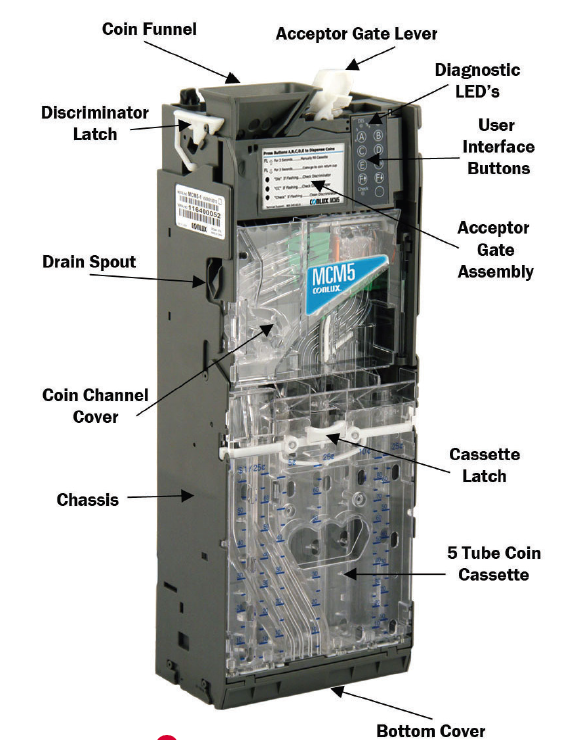
Above the A button is a red LED. A solid red light means that everything is working properly and coins will be accepted. A flashing red light indicates a coin jam. To clear the coin jam press on the white lever to the right of the funnel.
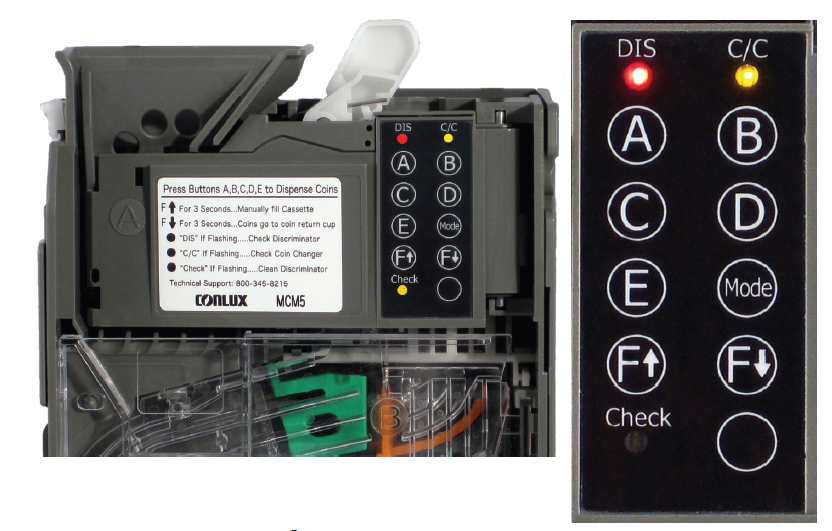
After the jam has been cleared, the red light will become solid.
Comments
Please sign in to leave a comment.