Temperature Settings and Setpoint (GVC 2)

DIY/How To

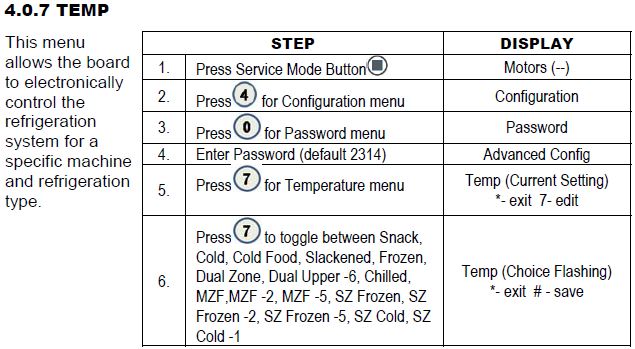
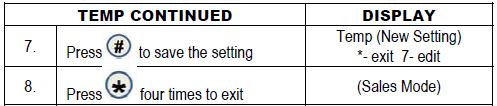
This article covers how to program your temperature and setpoint.

Symptoms/Considerations

The setting for the model 3561 should be set to Cold Food.


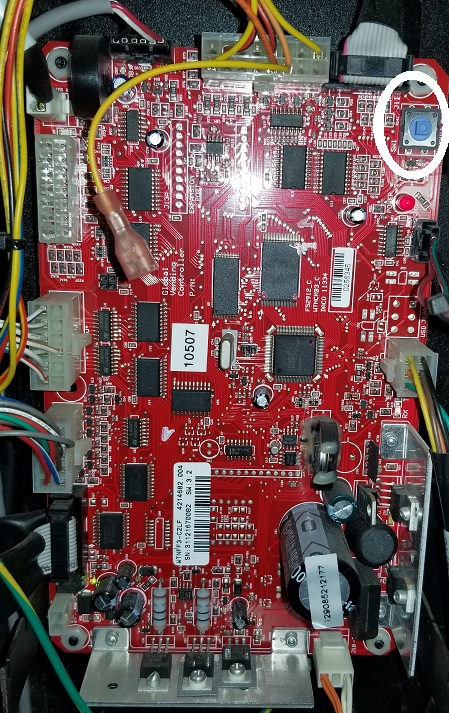
Press the blue button to enter Service Mode.
GVC2.jpg


Temperature


temp-gvc2-1.JPG

temp-gvc2-2.JPG


Setpoint


3, 8, Press 8 to edit the setpoint. Continue pressing 8 until you've reached the temp you want. When you press 8 to change the setpoint, it will go up to the 70's before restarting at the 30's. 


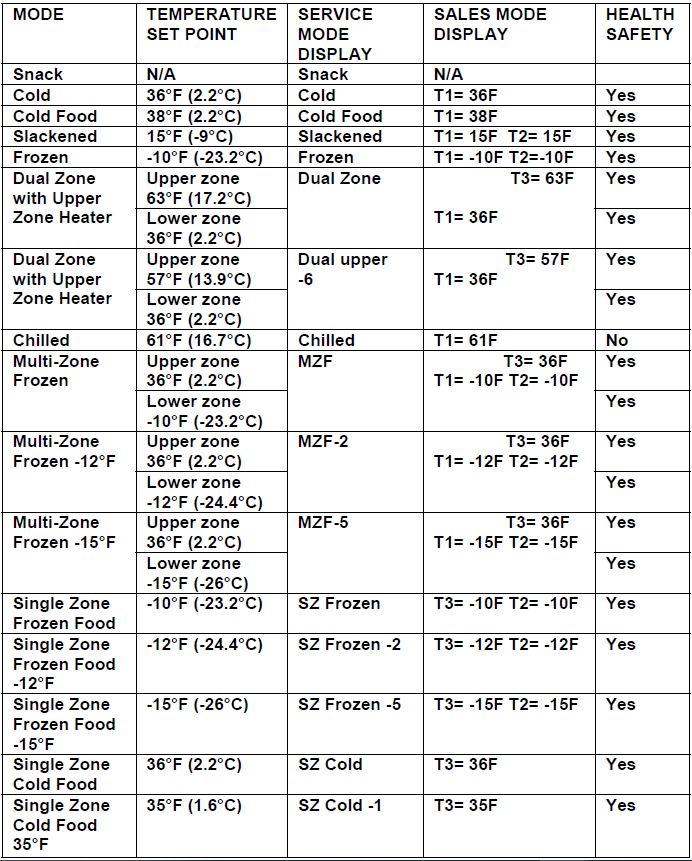
This image below is showing you the temperature setpoint, and what temp sensors are used for the specific setting. 
temp-gvc2-tempOptions.JPG


More settings can be found here in the GVC2 Control Board Manual      GVC2.pdf


Was this article helpful?
0 out of 0 found this helpful

Comments

0 comments

Please sign in to leave a comment.

Articles in this section

Order Parts
Easily and securely order parts on our website 24/7.
Schedule a call with an In-House Technician
Our certified technicians are here to help you fix any issues with vending machines.
Contact us
Do you need assistance with Greenlite Cashless or would like request an on-site service technician or have a parts question? Submit a ticket to get all of your questions answered and receive assistance.
View ‘How To’ Videos
Our extensive video library provides step-by-step instructions on how to complete a wide range of simple tasks from changing a motor to setting up your new vendor for the first time.