
| DIY/How To |
|
This article covers how to set your configuration on your GVC2 control board. |
|
Considerations |
| You're able to set your configuration for all items, by row, or by individual item. |
Press the service mode button.
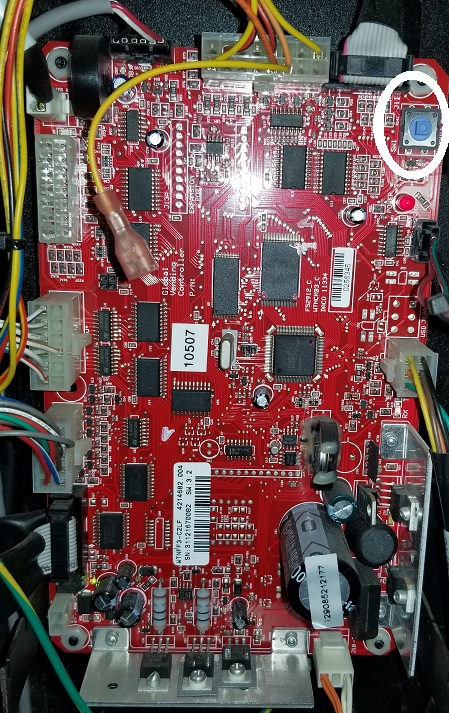
| Set configuration for all items | 4,3, press 1 until you reach your intended configuration, press # to save |
| Set configuration by row |
4, 2, enter the row, press 1 until you reach your intended configuration, # to save. |
| Set configuration for individual items |
4, 1, enter selection, press 1 until you reach your intended configuration, # to save. Press * and enter the next item, press 2 until you reach your intended configuration, # to save. Repeat until all item are set. |
Comments
Puedo tener acceso al diagrama del circuito de esta placa GVC2 para así hacer una reparación
Lo siento. No tengo un diagrama de circuito de la placa GVC2. Si desea enviarnos la placa para que la reparemos, comuníquese con nuestro departamento de Piezas al 800-833-4411 y presione la opción Piezas.
I'm sorry. I do not have a circuit diagram of the GVC2 board. If you'd like to send the board in to us for repair please contact our Parts department at 800-833-4411 and press the option for Parts.
Please sign in to leave a comment.