
| DIY/How To |
|
This article covers how to set your configuration on your GVC2 control board. |
|
Considerations |
| You're able to set your configuration for all items, by row, or by individual item. |
Press the service mode button.
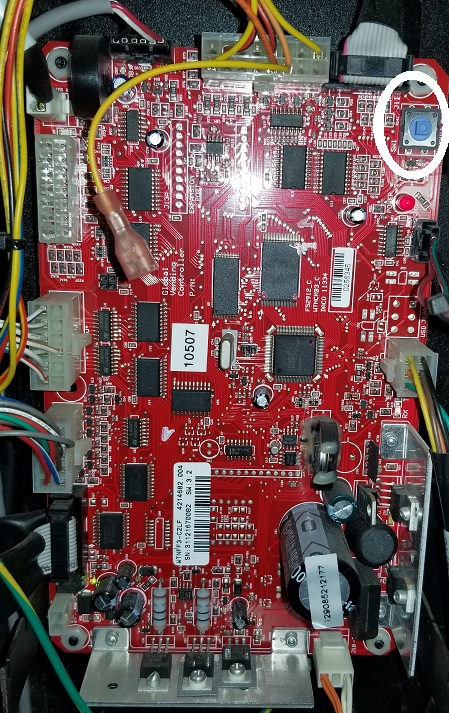
| Set configuration for all items | 4,3, press 1 until you reach your intended configuration, press # to save |
| Set configuration by row |
4, 2, enter the row, press 1 until you reach your intended configuration, # to save. |
| Set configuration for individual items |
4, 1, enter selection, press 1 until you reach your intended configuration, # to save. Press * and enter the next item, press 2 until you reach your intended configuration, # to save. Repeat until all item are set. |
Comments
Please sign in to leave a comment.