
| Troubleshooting |
| This article covers how to program your GVC1 control board on model 3578. This is a checklist you should follow when setting up and troubleshooting your machine. |

Press the blue button to enter Service Mode.
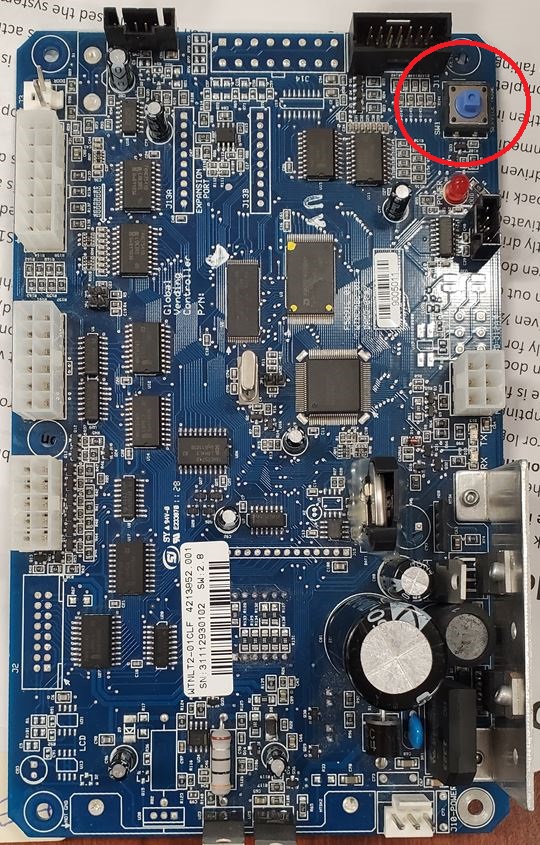
- Run Motor Count
- Check Configuration - Needs to be Snack for this model
- Temperature - Cold
- Health Safety - Off
- Space to Sales - StSn
- Optics - On
| GVC1 (Blue) 4213952.005 | |
| Menus in Service Mode | |
| Motor Count | 2 |
| Reset | 4, 0, Password 2314, 6, 6, #, 0 (Only reset your board if you must) |
| Configuration | 4, 1, enter selection, (1 to toggle to can or bottle) |
| Temperature | 4, 0, Password 2314, 7, (7 is toggle temp) |
| Health Safety | 4, 9, (9 is to toggle on/off) |
| Space to Sales | 4, 6, (6 is to toggle StSn - StS9) Model 3578 must have StSn |
| Optics | 3, 6, 3, (3 is to toggle on/off) |
| Pricing | 5, 1, enter selection, enter price, # to save |
| Setpoint | 3, 8, (8 is to increase degree) |
| Relay | 0, 2 (then press 1 twice for relay 1 or 2 twice for relay 2) |
| # = save | |
| * = back / exit |
Here is your GVC1 Control Board Manual GVC1.pdf
Comments
Please sign in to leave a comment.