
| Troubleshooting |
|
This article covers what to do when your machine is vending multiple products due to the iVend sensor issue. |
|
Symptoms/Considerations |
|
The customer's money was taken, but a product did not vend. |
|
A products vends successfully, but another product falls. Then, the machine says to make another selection. |
|
Your iVend is misaligned or needs to be replaced. |
CLOSE THE DOOR: Make sure your product passes through the iVend sensors and into the delivery bin. The machine will vending another product if the door is not closed and the product does not pass through the iVend sensors.
Make sure that the harness is plugged in at the control board on the top left.
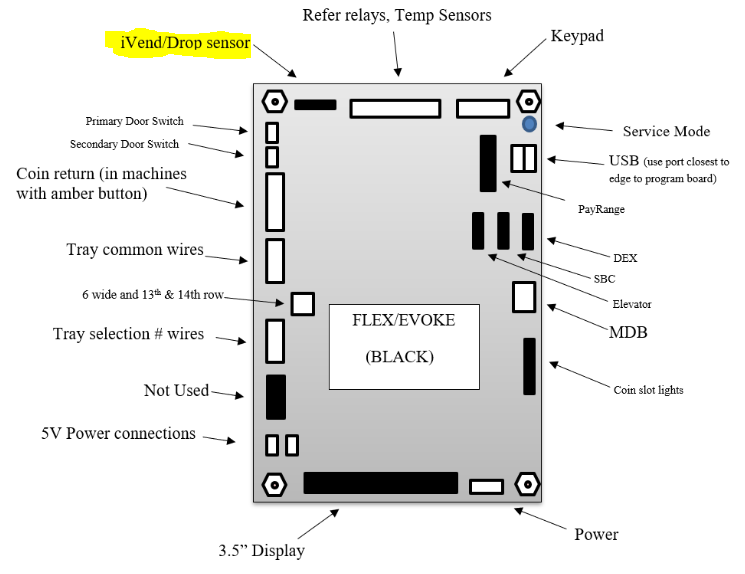
Your I-vend sensor is located on both sides of your delivery bucket. If it's working properly you should see a solid red light in the middle of the I-vend board. If the sensor is misaligned or needs replaced you will see a flashing red light on the I-vend board.
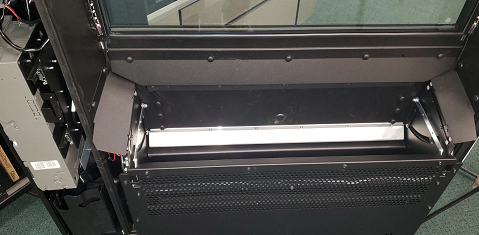
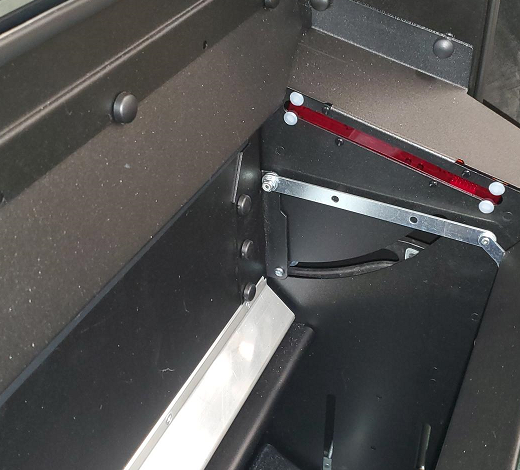
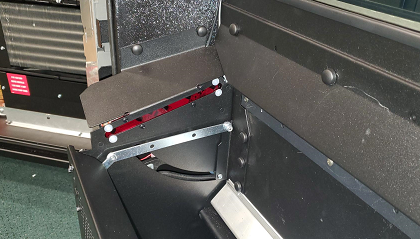
Go into Service Mode, Shut the door, Press 2 (Motor Count), Press 8 then make a selection. If two products fall that means your I-vend did not detect the product falling which means you need to replace the I-vend sensor.
Comments
Please sign in to leave a comment.