
| Troubleshooting |
| This article cover how to program, troubleshoot, enable/disable your elevator on your model 3561, 3563, 3629, and 3630 machine. |
| Symptoms |
| Error codes like "EFL 99" or "EFL 0/5" |
| The elevator will go up and down three times before going out of service. |

This is a very helpful video showing all the pats of the elevator system and how to troubleshoot when it's not functioning properly.
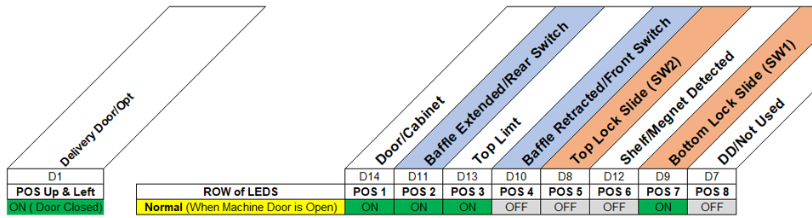
Click here for the full Elevator Troubleshooting Guide (shows error codes)
If you have an issue with your elevator go through this troubleshooting guide and you will find what is preventing the elevator from functioning properly.
Follow these steps:
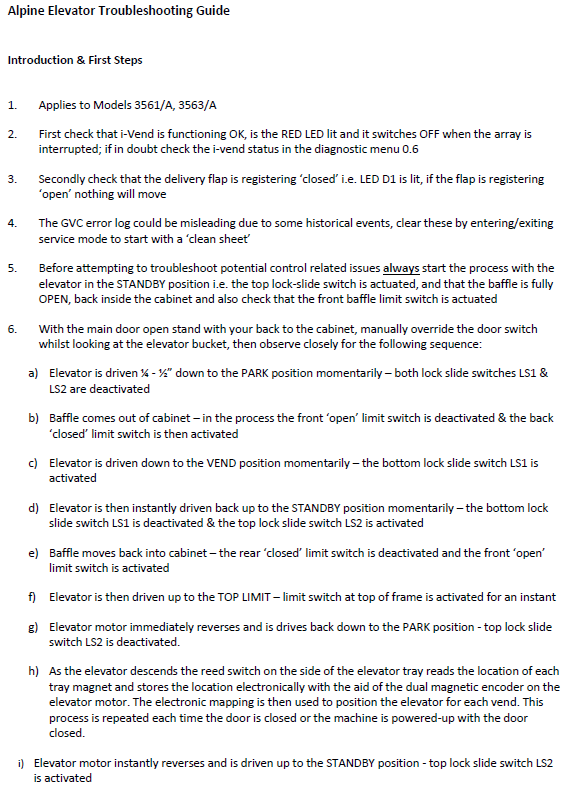
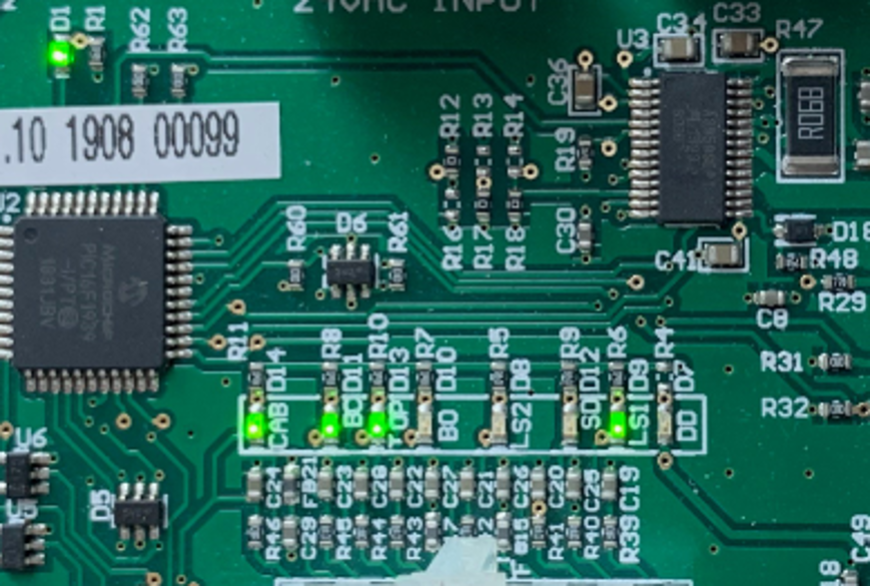
Use this as a guide to show you if your switches are working which allow the baffle and elevator to function. The lights are on your elevator control board which is above your machine's main control board which has the service mode button.
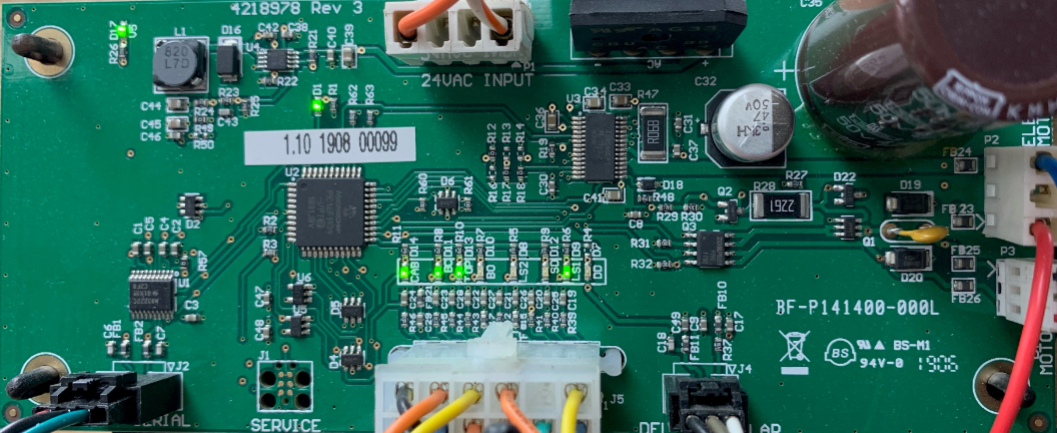
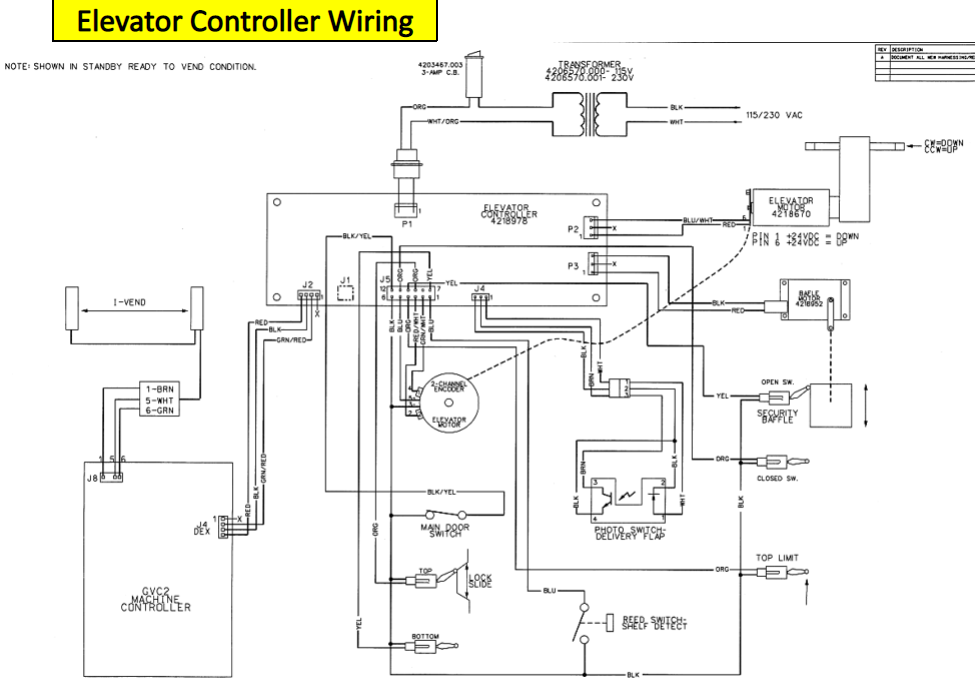
A visual of how the main control board is connected to your elevator control board:
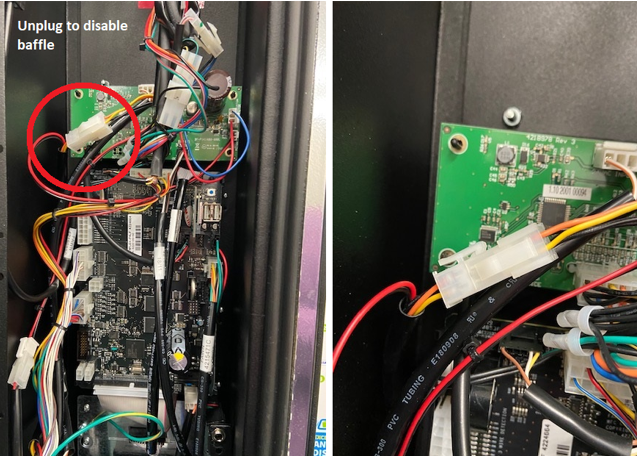
To disable the baffle from coming out unplug this wire.
Comments
Please sign in to leave a comment.